
To take a backup of an application using Installatron for easy restoration, login to cPanel and click the "Installatron Applications Installer" icon under the Software section:

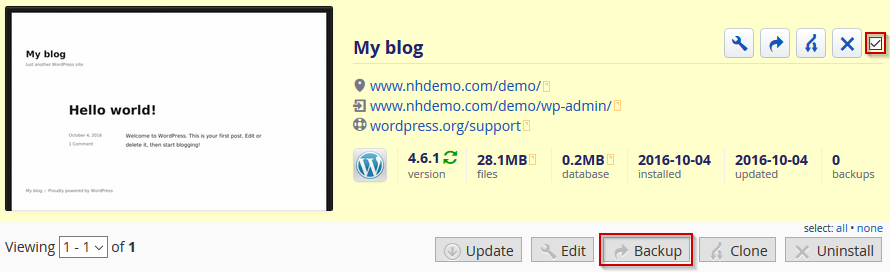
A list of your installed applications will be shown. Click the checkbox for the application and click the "Backup" button:
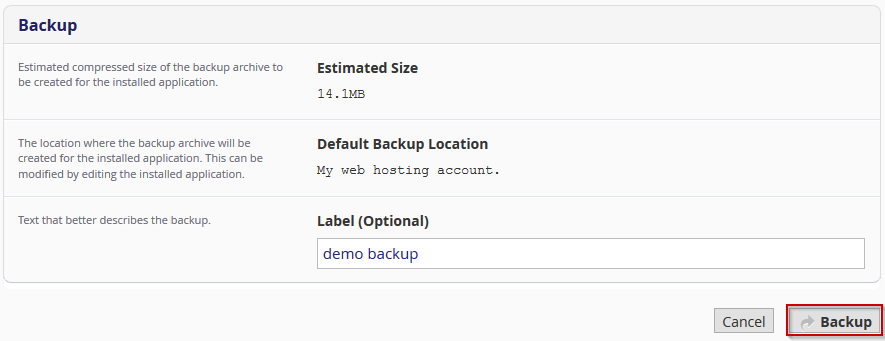
The following backup screen will be shown allowing an optional label:
The progress of the backup will be displayed and finally the backup will be visible within the "My Backups" tab:

